
If you receive the Canada Child Benefit (CCB), there may come a time when you need to quickly verify your payment amount, confirm an upcoming deposit, or access your child tax information. Many BC families log into CRA My Account every June and July to check their updated benefit information. Fortunately, the process is straightforward once you know where to look.
Quick Answer
- Log in to CRA My Account.
- Click Benefits and Credits.
- Select Canada Child Benefit.
- Open the Payments section.
- Review your upcoming payment amount and date.
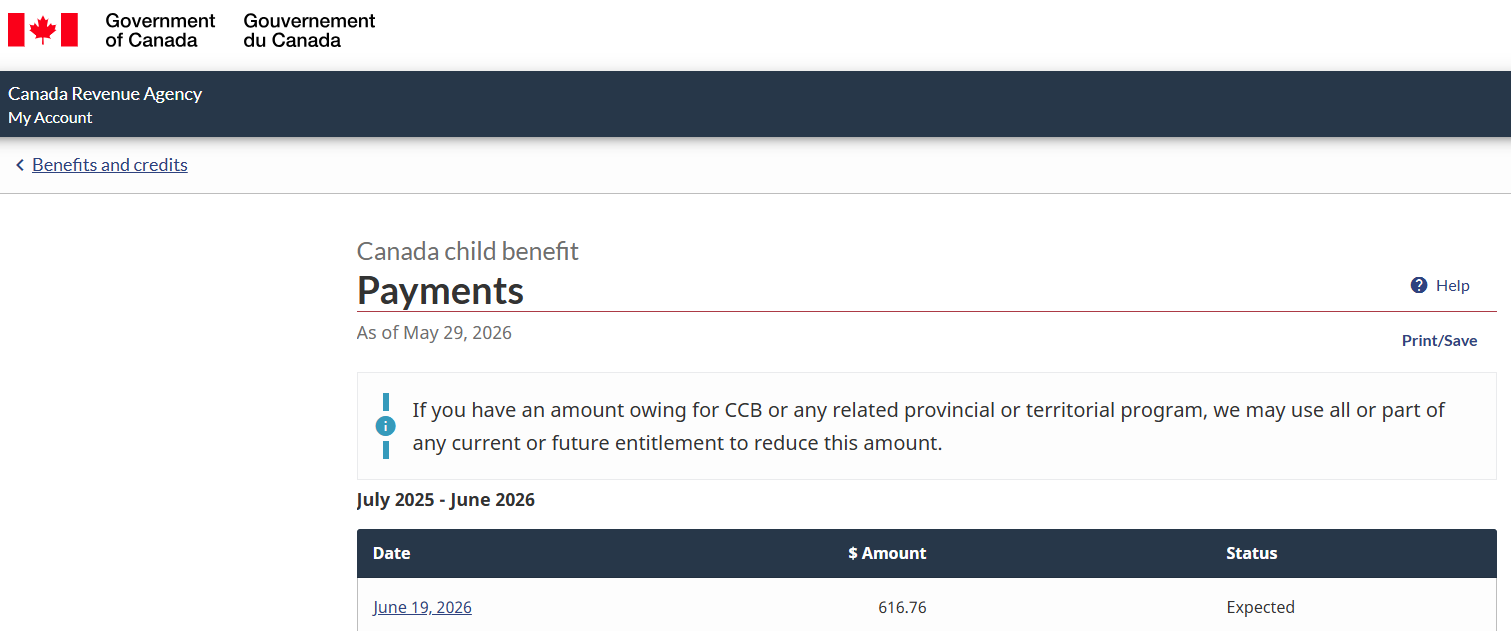
Example of where to find your upcoming Canada Child Benefit payment amount inside CRA My Account.
What Is the Canada Child Benefit Payment Screen?
The Payments section inside CRA My Account shows your upcoming CCB payments, payment dates, and current status. For many families, this is the fastest way to verify benefit information without downloading a PDF notice.
Step 1: Log In to CRA My Account
Visit the CRA Login page and sign in using either your Sign-In Partner or CRA credentials.
Step 2: Open Benefits and Credits
After signing in, navigate to Benefits and Credits and select Canada Child Benefit.
Step 3: View Payments
Open the Payments section. You should see your upcoming payment date, expected amount, and payment status.
Step 4: Review Your Information
Confirm that your payment amount and dates match your expectations. If something looks incorrect, review your tax filing information and recent CRA correspondence.
Need Your Full CCB Notice?
If you require the official notice, open Mail or the envelope icon on mobile and locate your most recent Canada Child Benefit correspondence. Download the PDF or save screenshots for your records.
Common Questions
Why did my payment amount change?
The Canada Child Benefit is recalculated every July using the previous year’s tax return.
What if I cannot see my payment?
Ensure your taxes have been filed and processed. New information may take time to appear.
Can I use screenshots?
Many organizations accept screenshots, though the official PDF notice is often preferred.